
If you’re looking for a WP Rocket alternative, several free and powerful tools can improve your website speed without high costs.
Tools like LiteSpeed Cache, FlyingPress, NitroPack, and WP-Optimize offer strong performance, easy setup, and reliable speed optimization for WordPress sites.
WP Rocket Alternatives Compared (May 2026)
Here is a side-by-side overview of every major WP Rocket alternative based on price, features, CDN inclusion, and ease of use.
| Plugin | Price/yr | Free Version | CDN Included | Image Opt. | Best For |
|---|---|---|---|---|---|
| LiteSpeed Cache | Free | Yes | QUIC.cloud | Yes | LiteSpeed hosts |
| W3 Total Cache | Free / $99 | Yes | BYO CDN | No | Advanced devs |
| NitroPack | $21+/mo | Limited | Yes | Yes | Zero-config users |
| FlyingPress | $59/yr | No | FlyingCDN +$10/mo | v5.3+ | Core Web Vitals |
| WP-Optimize | Free / $49/yr | Yes | No | Yes | Budget-conscious |
| WP Super Cache | Free | Yes | No | No | Basic/simple sites |
| Autoptimize | Free / Pro | Yes | Optional | Yes | Pair with caching |
Important: You cannot run multiple caching plugins simultaneously on WordPress.
Installing WP Rocket, LiteSpeed Cache, and W3 Total Cache together will cause conflicts that can break your site. Pick one primary caching solution and pair it only with complementary tools like Autoptimize or Perfmatters.
Before choosing a plugin, also check for a WP Rocket coupon code to compare final pricing and overall value.
The 7 Best WP Rocket Alternatives in 2026 (In-Depth Reviews)
1. Pros & Cons Of The LiteSpeed Cache
LiteSpeed Cache is the best free WP Rocket alternative for users on LiteSpeed hosting, offering powerful server-level caching and strong performance.
| Pros | Cons |
|---|---|
| Completely free with no core feature restrictions | Full performance benefits only on LiteSpeed servers |
| Server-level caching delivers very fast TTFB (<150ms) | Less advantage on Apache or Nginx hosting |
| Includes image optimization, WebP, minification, lazy load, critical CSS | More complex setup with multiple settings |
| QUIC.cloud CDN integration built for LiteSpeed | Past security patch delays raised concerns |
| 7M+ installs with strong ratings | |
| Strong Core Web Vitals performance in benchmarks | Includes image optimization, WebP, minification, lazy load, and critical CSS |
2. Pros & Cons Of The FlyingPress
FlyingPress is a premium plugin focused on achieving excellent Core Web Vitals scores with minimal effort and modern optimization features.
| Pros | Cons |
|---|---|
| Excellent Core Web Vitals performance (53% pass rate) | No free version available |
| Automatic CSS/JS optimization and deferral | CDN not included (extra cost) |
| Built-in image optimization (WebP & AVIF) | Smaller user base |
| Lazy rendering improves load speed | Limited WooCommerce caching |
| No traffic-based pricing limits | 30% renewal discount only |
3. Pros & Cons Of The NitroPack
NitroPack is an all-in-one performance solution combining caching, CDN, and image optimization into a single cloud-powered service.
| Pros | Cons |
|---|---|
| Highest Core Web Vitals score (54%) | Expensive monthly pricing |
| All-in-one solution (cache + CDN + images) | Pricing increases with traffic |
| Cloud-based optimization reduces server load | The free plan is very limited |
| Fully automated, beginner-friendly setup | Less control over settings |
| Built-in global CDN included | Some SEO concerns reported |
| Handles WooCommerce caching well |
4. Pros & Cons Of The W3 Total Cache
W3 Total Cache is a powerful free plugin designed for developers who want full control over every aspect of website caching and performance.
| Pros | Cons |
|---|---|
| Free with advanced features | Very complex for beginners |
| Full control over all caching layers | High risk of misconfiguration |
| Supports Redis, Memcached, and more | No built-in image optimization |
| Works with multiple CDN providers | Requires external CDN setup |
| Long-standing and reliable plugin | Not supported on some managed hosts |
| Developer-friendly flexibility | Lacks modern optimization features |
5. Pros & Cons Of The WP-Optimize
WP-Optimize is a beginner-friendly all-in-one plugin that combines caching, database cleanup, and image optimization in a simple interface.
| Pros | Cons |
|---|---|
| Free version includes caching and database cleanup | Lazy loading is premium-only |
| Built-in image compression | Only optimizes new images |
| Easy to use for beginners | No built-in CDN |
| Works with WooCommerce and multisite | Less powerful for Core Web Vitals |
| All-in-one lightweight solution |
6. Pros & Cons Of The WP Super Cache
WP Super Cache is a simple and reliable caching plugin ideal for basic websites that need fast performance without complex setup.
| Pros | Cons |
|---|---|
| Completely free and maintained by Automattic | Limited features compared to modern plugins |
| Simple setup and beginner-friendly | No image optimization or CSS/JS optimization |
| Serves static HTML for faster load times | No premium support |
| Supports CDN integration | Lacks modern Core Web Vitals features |
| Widely used with 2M+ installs | Minimal updates in recent years |
7. Pros & Cons Of The Autoptimize
Autoptimize is a performance optimization plugin focused on CSS, JavaScript, and image optimization, best used alongside a caching plugin.
| Pros | Cons |
|---|---|
| Strong CSS/JS optimization features | No caching functionality |
| Free version is powerful | The free version is powerful |
| Supports critical CSS and image optimization | Some settings may break layouts |
| Works with all caching plugins | CDN requires extra setup |
| Flexible customization options | The pro version increases the overall cost |
How To Choose The Right WP Rocket Alternative For Your Site?
The best WP Rocket alternative depends on your hosting environment, technical skill level, and budget. Use this decision guide:
- On LiteSpeed or OpenLiteSpeed hosting? → Use LiteSpeed Cache. It is free and delivers server-level performance that WP Rocket cannot match on LiteSpeed infrastructure.
- Want the best Core Web Vitals scores on Apache or Nginx? → Use FlyingPress. It ranks second in 2026 CWV pass rates (53%) and has flat, predictable pricing with no traffic caps.
- Want a completely hands-off all-in-one solution (caching + CDN + images)? → Use NitroPack. It has the highest CWV pass rate (54%) and requires zero configuration, but costs more at scale.
- Are developers who want maximum control for free? → Use W3 Total Cache. Every caching layer is configurable, with support for Redis, Memcached, and major CDNs.
- Need a capable free plugin that goes beyond basic caching? → Use WP-Optimize. It includes database cleanup and basic image optimization alongside caching – all free.
- Running a simple blog or informational site with no budget? → Use WP Super Cache. Maintained by Automattic, reliable and simple to configure.
- Already have a free caching plugin and want WP Rocket-style optimization features? → Add Autoptimize. It handles CSS/JS optimization and image WebP without replacing your caching plugin.
Performance Tip: No caching plugin can compensate for slow hosting. Before switching plugins, check your hosting’s Time to First Byte (TTFB).
If TTFB is above 500ms, upgrading your hosting plan or switching to a faster provider will deliver more improvement than any plugin switch.
Why Are People Looking For A WP Rocket Alternative In 2026?
WP Rocket has long been the gold-standard premium caching plugin that is installed on over 2 million websites and maintains a 4.9/5 star rating.
But several factors are pushing users to look elsewhere in 2026:
1. WP Rocket Does Not Include Image Optimization
WP Rocket handles caching and CSS/JS optimization, but does not compress images or convert them to WebP.
To get image optimization, you need a separate plugin like Imagify (from the same developer), starting at around $9.99/month.
This additional cost means a complete stack with WP Rocket + Imagify runs significantly more than $59/year, while alternatives like NitroPack, LiteSpeed Cache, and WP-Optimize include image optimization at no extra charge.
2. WP Rocket Does Not Include a CDN
WP Rocket offers CDN integration, meaning it will connect to a CDN you are already paying for separately.
Its own RocketCDN add-on costs $7.99/month extra.
Alternatives like NitroPack and LiteSpeed Cache with QUIC.cloud include CDN bandwidth in their base pricing, making total cost comparisons important before choosing WP Rocket over its competitors.
3. Price Increases and License Changes
WP Rocket has raised its prices and modified its license terms over the years. Users who relied on lifetime licenses or grandfathered pricing have found themselves on higher renewal tiers.
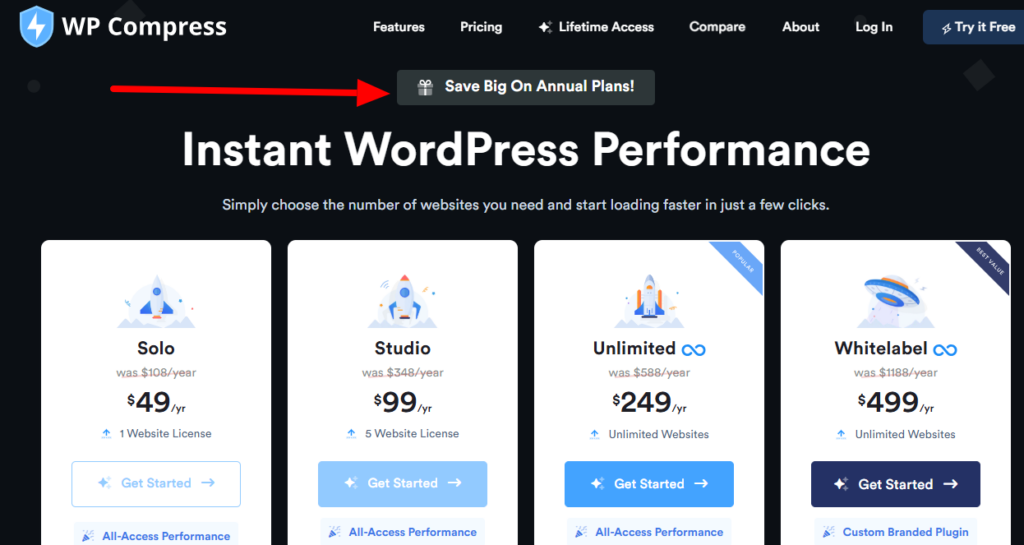
For agencies managing many sites, the unlimited license at $299/year is workable, but for individual site owners, paying $59/year for a plugin that still needs separate image optimization and CDN subscriptions is harder to justify against free alternatives.
4. FlyingPress and NitroPack Now Outperform WP Rocket on CWV Data
In 2026, HTTP Archive real-user data, NitroPack (54% CWV pass rate), and FlyingPress (53%) both outperform WP Rocket (50%) on Core Web Vitals.
For site owners where SEO performance is the primary goal, this data, based on real-world browser measurements rather than lab scores, is a meaningful reason to consider switching.
What Is WP Rocket And Why Is It So Popular?
WP Rocket is a premium WordPress caching and performance optimization plugin developed by WP Media, first launched in 2013.
It is installed on over 2 million WordPress websites and is one of the few plugins officially accepted by major managed WordPress hosts, including WP Engine, Kinsta, and Pressable hosts that typically ban or restrict other caching plugins due to compatibility concerns.
WP Rocket’s core appeal is simplicity: upon activation, it automatically applies approximately 80% of web performance best practices with no manual configuration required.
This includes page caching, browser caching, GZIP compression, CSS/JS minification, lazy loading, and Google Font optimization.
For non-technical users who want immediate results without learning about caching layers, WP Rocket delivers consistent improvements, typically a 50–70% reduction in page generation time.
The plugin’s limitations become apparent at the edges. It has no free version, no built-in CDN, and no image optimization, all of which require either additional plugins or additional spend.
In 2026, with free alternatives like LiteSpeed Cache achieving better Core Web Vitals scores on compatible hosting, and all-in-one services like NitroPack bundling everything WP Rocket lacks into a single subscription, WP Rocket’s value proposition is strongest for users who prioritize simplicity, managed host compatibility, and dedicated support over maximum performance optimization.
Conclusion: The Best WP Rocket Alternative in 2026
The best WP Rocket alternative in 2026 depends entirely on your hosting environment and goals. For LiteSpeed hosting: use LiteSpeed Cache, which is free and faster.
For the best Core Web Vitals on any host: use FlyingPress at $59/year. For a zero-config all-in-one solution with CDN included: use NitroPack from $21/month.
For the best free option on Apache/Nginx: use WP-Optimize. For developers who want maximum control: use W3 Total Cache for free.
WP Rocket remains an excellent plugin, particularly for managed WordPress hosts where alternatives are restricted, and ease of use is the priority.
But if you are on LiteSpeed hosting, or if you need image optimization and CDN without paying for three separate services, the alternatives above deliver equal or better results at lower cost in April 2026.
FAQs On WP Rocket Alternatives
Is LiteSpeed Cache better than WP Rocket?
On LiteSpeed or OpenLiteSpeed hosting, yes, LiteSpeed Cache consistently delivers faster TTFB (under 150ms vs 300–500ms for PHP-based plugins) and includes image optimization and CDN integration for free. In 2026 real-user data, LiteSpeed Cache achieves a 48% Core Web Vitals pass rate. On Apache or Nginx hosting, the gap narrows significantly. WP Rocket may outperform LiteSpeed Cache outside of LiteSpeed server environments.
What is the best free alternative to WP Rocket?
LiteSpeed Cache is the best free WP Rocket alternative if you are on LiteSpeed hosting; it matches or exceeds WP Rocket’s performance for free. For Apache or Nginx hosting, WP-Optimize is the best free option because it combines page caching, CSS/JS minification, image compression, and database cleanup without a paid license. WP Super Cache is the simplest free option for basic sites.
Can I use WP Rocket and LiteSpeed Cache together?
No, you cannot run two caching plugins on the same WordPress site simultaneously. Running WP Rocket and LiteSpeed Cache together will cause cache conflicts and may break your site. Choose one primary caching plugin. If you want LiteSpeed Cache’s server-level caching, disable and remove WP Rocket entirely before activating LiteSpeed Cache.
Is NitroPack worth it as a WP Rocket alternative?
NitroPack has the highest Core Web Vitals pass rate of any plugin tested in 2026 (54%) and bundles caching, CDN, and image optimization that WP Rocket requires separate tools for. The trade-off is cost at $21+/month; NitroPack is more expensive than WP Rocket’s $59/year for lower-traffic sites. For high-traffic sites where managing three separate services (caching + CDN + images) is complex, NitroPack’s all-in-one value may justify the subscription.
Does WP Rocket have a free version or free trial?
No, WP Rocket has no free version and no free trial. It does offer a 14-day money-back guarantee. This is one of the primary reasons users look for WP Rocket alternatives. LiteSpeed Cache, W3 Total Cache, WP-Optimize, and WP Super Cache are all completely free to start.
What is the best WP Rocket alternative for WooCommerce?
NitroPack is the strongest WP Rocket alternative for WooCommerce. It correctly handles dynamic cart caching, which is technically difficult and handled poorly by many plugins. FlyingPress is less suitable for WooCommerce because its cache is bypassed when items are added to the cart. LiteSpeed Cache also handles WooCommerce well on compatible hosting.


